

























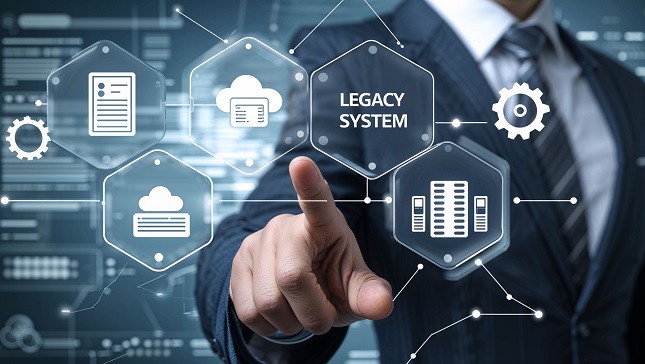
Legacy systems support critical business operations but often become bottlenecks as technology advances, compromising efficiency, security, and scalability. While essential, upgrades raise concerns about downtime, data loss, and costs.
Modernization doesn’t require disruption when executed strategically. This guide provides a phased methodology that minimizes operational impact while improving performance and security. The approach preserves existing investments and ensures future readiness.
We’ll walk through each stage: evaluating current infrastructure, planning, implementation, and post-deployment optimization. This structured process transforms aging systems into agile platforms while maintaining business continuity. Begin by assessing your existing environment.
1) Assess Your Current System
Begin by evaluating your infrastructure to identify mission-critical functions and operational pain points. Examine system limitations and integration capabilities with modern platforms. Conduct a security review to uncover vulnerabilities from outdated configurations. Document these findings to establish upgrade priorities. Most organizations adopt a phased approach, implementing best practices from iMedia Technology to modernize high-impact areas first.
This assessment creates an effective upgrade foundation, maintaining stability while improving performance, security, and compatibility. The results will guide your implementation strategy.
2) Define Clear Objectives
Clear objectives prevent scope creep and wasted resources in system upgrades. Use SMART goals (Specific, Measurable, Achievable, Relevant, Time-bound) like cutting latency by 30% or adding multi-factor authentication. These targets must align with business needs, such as improving customer experience or meeting compliance, to secure stakeholder support and guide execution.
Effective objectives balance technical and business outcomes. For example, cloud integration enables scalability, while security upgrades reduce risk. Well-defined goals keep projects focused, measurable, and tied to organizational success, ensuring upgrades deliver real value.
3) Choose the Right Modernization Strategy
Modernizing legacy systems requires selecting the approach that best fits your needs. Not every system needs a full rebuild—options range from simple rehosting (“lift-and-shift”) to complete replacement. Rehosting quickly migrates systems to modern infrastructure like the cloud with minimal changes, while refactoring optimizes existing code for better performance without altering core functions. For severely outdated systems, rebuilding from scratch or replacing with third-party solutions may be necessary.
A hybrid strategy often works best, combining approaches for balanced risk and reward. Experts like the team at AdRem Systems recommend incremental modernization—updating components step-by-step to maintain stability while improving functionality. This phased method lets you validate changes on non-critical systems before tackling mission-critical elements.
The right strategy depends on your system’s condition and business goals. Assess technical debt, budget, and long-term needs to choose between rehosting, refactoring, rebuilding, or replacement. A well-planned approach minimizes disruption while maximizing performance, security, and scalability for future growth.
4) Prioritize Data Migration & Security
Data is critical to operations, so migration requires careful planning. Start with complete backups, then clean and standardize data before transfer. Test migrations in phases to verify integrity, using automation to reduce errors. Security must remain a priority—implement encryption, strict access controls, and vulnerability management throughout the process.
A structured approach prevents data loss while maintaining security. By combining thorough preparation with automated tools and robust protections, organizations can migrate data safely and efficiently. This ensures business continuity while modernizing systems.
5) Test Rigorously Before Full Deployment
To ensure a smooth transition when upgrading legacy applications with modern technology, comprehensive testing is essential. Start by testing each legacy component independently to verify functionality, then assess seamless integration with new systems. Conduct rigorous performance tests under peak loads to confirm stability and scalability.
User Acceptance Testing (UAT) with real end-users is critical to validate that the upgraded system meets business needs and regulatory requirements without disrupting day-to-day operations. A phased rollout to a limited group helps identify final issues before full deployment, reducing risks and maintenance costs.
This structured approach minimizes disruptions while ensuring the upgraded system meets all technical and business requirements, enabling a successful transition from outdated infrastructure to a more efficient, future-ready solution.
6) Train Users & Provide Support
A system upgrade like cloud migration succeeds only when users can effectively operate it. Provide multi-format training, such as workshops for hands-on practice, video tutorials for quick reference, and detailed manuals, tailored to different roles. Include in-application help features for immediate assistance during actual use.
Establish robust support through helpdesks, knowledge bases, and feedback channels. This continuous learning approach drives adoption, with companies seeing 40-60% faster proficiency and 30% higher usage rates. User-focused training ensures your technology investment delivers maximum value.
7) Monitor & Optimize Post-Upgrade
The upgrade process continues after deployment. Constantly track system performance to catch slowdowns, collect user feedback to resolve issues, and monitor for emerging security risks. Regular maintenance and updates ensure peak efficiency and protection.
Proactive monitoring prevents problems before they escalate. By analyzing data and user input, you can make continuous improvements, keeping systems running smoothly and securely long-term. This disciplined approach maximizes your upgrade investment and maintains optimal performance.
Bottom Line
Upgrading legacy solutions does not have to be a challenge. By following a structured modernization process, including assessing needs, setting SMART goals, and implementing the right strategy, you can improve efficiency without a risky overhaul. Additionally, you can integrate artificial intelligence (AI) to optimize business processes while addressing security vulnerabilities and performance issues. The key is gradual improvement over radical change.