





























If you’re looking to explain a complex topic, present a board meeting, or create an awareness video to explain your new offer or product idea, you need a video that will captivate your audience. The best videos walk the audience through the process step-by-step, exploring one point at a time.
Yes, we’re talking about explainer videos, and there are tons of free software out there that you can use to create your very own explainer video. But… It’s not about making a free video, it’s about producing a great video that not only achieves its goal of explaining something, but also leaves a remarkable and memorable statement.
In this guide via Zelios.agency, we are sharing a complete guide on how to create a perfect explainer video.
Define the Purpose Before You Start
Before you even think about storyboards or voice actors, you need to answer one question: Why are we doing this?
Most successful videos fall into one of three categories:
- Awareness. Introducing your brand to a new audience.
- Education. Showing how a specific feature or service works.
- Conversion. Pushing a lead to finally hit the “Buy” button.
Based on these different goals, you proceed with a different approach. For instance, if your goal is conversion, your video should focus on ROI and pain points rather than spending the first 10 minutes on introduction. Similarly, if it’s education, focus on clarity and simplicity.
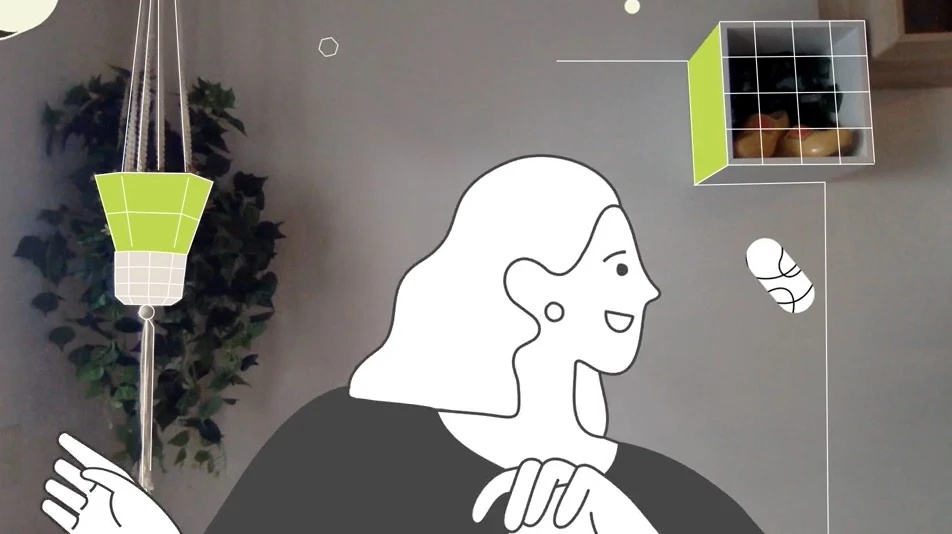
Choose the Right Video Animation Style
The “look” of your video sets the tone for your entire brand. You wouldn’t use a gritty, dark noir style to sell a children’s educational app, right? Choosing the right animation style is about matching your message to your audience’s expectations.
Popular explainer video styles include:
- 2D animation: Clean, affordable, and great for startups
- Whiteboard animation: Ideal for educational or training content
- Motion graphics: Best for data-driven or tech-focused topics
- Live-action explainer videos: Perfect for human-centered brands
While 3D animation is stunning, it is significantly more time-consuming and expensive. For most businesses, high-quality 2D motion graphics provide the best balance of professional polish and production speed.
Craft a Compelling Script
The average human attention span is reportedly shorter than that of a goldfish (about 8.25 seconds, according to some studies), so you don’t have time for a three-page manifesto on why your product is great. You need to hook your audience within the first minute or two with a unique hook.
A solid explainer video script usually includes:
- The problem your audience is facing
- The solution your product or service provides
- How it works, explained simply
- The benefit or outcome for the user
A standard 60-90 second explainer video usually requires a script of about 150 to 230 words. Any more than that, and you’re rushing the narrator, which stresses out the viewer.
Pro Tip: Write like you speak. Avoid “corporate-speak” and industry jargon that makes people’s eyes glaze over.
Use a Clear Call to Action
You’ve spent 90 seconds dazzling your audience. They’re interested. They’re excited. And then… the video ends. If you don’t tell the viewer exactly what to do next, they will likely do nothing at all.
Your Call to Action (CTA) should be singular and direct. Don’t ask them to “Subscribe, follow us on LinkedIn, and download our whitepaper.” Pick one:
- “Start your free 14-day trial today.”
- “Book a demo at our website.”
- “Download the app now.”
You can replace it with whatever you like, but make sure it’s direct and doesn’t feel like a hard-sell.
Record High-Quality Audio
Audio. Audio. Audio. I hope that grabs your attention, and I hope you get an idea how important it is to work with high-quality audio. People may forgive your mediocre video, but they’ll never forgive and forget a bad audio quality.
If your voiceover sounds like you recorded it in a tin can or your background music is so loud that your voiceover is audible, viewers won’t understand a thing.
To ensure high-quality audio:
- Use a professional microphone, not a built-in laptop mic
- Record in a quiet, echo-free environment
- Choose a voiceover artist that matches your brand tone
Research shows that poor audio is one of the top reasons viewers stop watching videos early.
Work with the Right Production Team
The process of producing an explainer video involves multiple skills, including scriptwriting, animation, sound design and editing. Working with the right team can save time, minimise the need for revisions and improve the overall quality of the video.
When evaluating your video production partner, you need to evaluate them on the following basis:
- A strong portfolio of explainer videos
- Experience in your industry or niche
- Clear communication and project timelines
- Transparent pricing and revision policies
Promote Your Explainer Video
Creating an explainer video is only half the job, promotion is where results happen.
To maximize your investment, you need a multi-channel distribution strategy:
- Landing Pages. Placing a video on a landing page can increase conversion rates by over 80%.
- Email Marketing. Using the word “Video” in an email subject line can boost open rates significantly.
- Social Media. Optimize for “sound-off” viewing. Since many people watch videos on mute while scrolling, ensure your explainer has clear captions or text overlays.
- YouTube SEO. Use keyword-rich titles and descriptions so your video shows up when people search for solutions to the problems you solve.
You must consider explainer video production as a strategic process, not just a creative one. Add clear audio, a strong call to action and effective promotion, and your video could become one of your most powerful marketing tools.