





























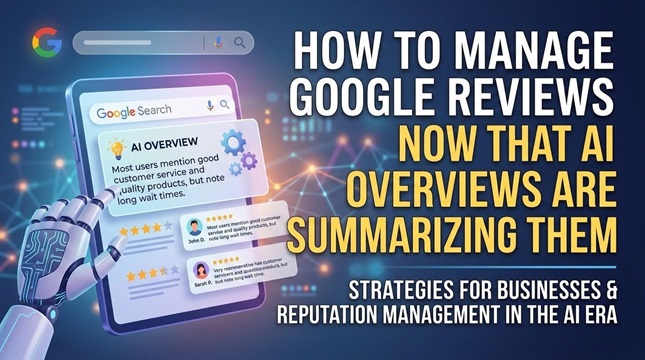
AI Overviews are reshaping how customers discover your business before they ever read your reviews. As Google’s summaries increasingly influence search behavior, the way you manage Google reviews requires recalibration. This guide covers how AI Overviews affect review visibility, how to optimize review content, and what to measure to protect your search performance in the long term.
How AI Overviews Change Review Visibility
AI Overviews now appear in 44% of Google searches, according to a 2024 SparkToro study, directly affecting how prominently reviews surface in local search results. These AI-generated summaries pull data from multiple sources, including Google Business Profile, TripAdvisor, and Yelp. The result: fewer users scroll down to read your original Google Reviews firsthand.
The aggregation process prioritizes recent feedback and overall sentiment scores, then produces condensed summaries that appear above traditional search listings. Businesses lose direct control over how their reputation appears when automated systems interpret customer feedback on their behalf.
Businesses without schema markup saw review volume drop 23% in search visibility, making it harder for potential customers to find their full review collection. Local service providers feel this most sharply because users now receive synthesized answers before reaching individual review pages.
Research from Stanford HAI highlights how AI summarization can affect the representation of positive and negative reviews in these summaries. Algorithms sometimes emphasize certain sentiment patterns while downplaying others, creating an incomplete picture of the customer experience. Monitoring how your reviews appear in these systems has become a core part of reputation management.
Optimizing Review Content for AI Summaries
Review content optimization starts with schema implementation and response formatting. Structured review data helps search engines more accurately identify authentic customer feedback signals and supports better interpretation of review authenticity within AI Overviews.
Schema markup is what helps AI Overviews understand the relationship between customer feedback and business attributes. When review content aligns with how search engines expect to find information, local SEO performance improves, and review credibility holds up in competitive results.
Strategic Keyword Integration
Embed location-specific phrases and service attributes in review responses to align with user intent. Placing “downtown Seattle coffee shop” or “cold brew preparation time under 3 minutes” in a response gives AI Overviews specific details to extract when summarizing customer experiences.
Five keyword placement methods that improve how AI systems interpret review context:
- Include the city plus service in the first 50 words of responses
- Reference specific product names mentioned in the review
- Use question-based keywords from Google’s People Also Ask sections
- Add review platform names where relevant (Google, Yelp, TripAdvisor)
- Include seasonal terms like “holiday menu” or “summer patio.”
Before optimization, a response might read: “Thank you for your feedback, we appreciate your visit.” After applying these methods, “Thank you for visiting our downtown Seattle coffee shop. Your feedback on our cold brew preparation time helps other customers understand our service quality on Google.”
The difference is not cosmetic. AI-generated summaries extract relevant details far more readily from formatted, specific content.
Encouraging Detailed Customer Responses
Businesses using specific review prompts see longer responses than those sending generic requests, per Birdeye 2024 data. Detailed customer feedback gives AI Overviews richer material to summarize accurately.
Four prompt templates that generate more useful, schema-compatible responses:
- “How did our [specific service] compare to what you expected?”
- “What would you tell a friend about [exact product feature] during your visit on [date]?”
- “Which part of our process exceeded expectations, and which needs improvement?”
- “How did [staff name]’s recommendation change your experience?”
Prompts that reference concrete details from the original visit produce responses with authentic context that AI systems can interpret reliably.
How to Monitor AI-Generated Summaries
Track AI-generated summaries weekly using tools like Brandwatch and Mention to identify when Google changes how it represents review sentiment for your business. This reveals patterns in how AI Overviews present your Google Reviews before customers encounter the source material.
Three monitoring protocols worth implementing:
- Set up daily Google search alerts for your brand name plus “reviews” with a location filter. These alerts notify you when new summaries appear.
- Use SEMrush Position Tracking to monitor how often review snippets appear in AI-generated content, including changes in frequency and positioning across search queries.
- Document AI summary changes in a spreadsheet that tracks sentiment shifts, featured review selection, and context accuracy. Consistent logging reveals trends that affect visibility over time.
A three-week monitoring log shows how this plays out in practice. Week one: positive sentiment dominated summaries, but three-star reviews were featured prominently. Response: addressed lower-rated reviews to balance the narrative. Week two: AI summaries were mixing reviews from different locations. Response: verified Google Business Profile location settings. Week three: Recent reviews were being weighted more heavily than older ones. Response: increased review request volume to maintain freshness.
Responding to AI-Flagged Concerns
Address AI-highlighted concerns within 48 hours to prevent shifts in sentiment in subsequent AI summary generations. Google Reviews that appear in AI Overviews shape customer perception before anyone reads the original text.
Monitor your Google Business Profile daily for new entries that might influence AI summaries. When negative sentiment gets flagged, respond quickly with a message that targets the specific issue mentioned. That specificity matters because the AI is likely to pull the same detail again.
Tier 1: Negative AI Sentiment
Respond within four hours using a prepared template. Focus on the exact concern the AI highlighted, not the full review text. Keep the reply under 150 characters for mobile visibility. Acknowledge the problem, offer a direct solution, and invite the customer to message you privately.
Template: “Thank you for your feedback. We have addressed [specific issue] and would like to make this right. Please message us directly.”
Tier 2: Neutral AI Summaries
Apply a weekly engagement schedule. Select recent positive reviews that counterbalance the neutral representation and respond to them to increase their visibility in search results. Consistency in timing builds review freshness signals.
Template: “Thank you for choosing us. We appreciate your feedback about [positive detail] and look forward to serving you again.”
Tier 3: Positive AI Representation
Amplify positive AI representation through monthly Google Posts that link to featured reviews. Choose reviews with specific details rather than general praise. Detailed reviews give AI systems better context for accurate summarization.
Template: “Featured review: [Customer name] appreciated our [specific service]. Read more reviews on our profile.”
Rotate different reviews each month to maintain fresh content signals.
Proactive Review Generation
Systematic review requests at specific customer journey touchpoints generate more verified reviews than random timing. Review freshness affects how prominently feedback appears in Google Business Profile listings and AI-generated overviews.
Send review requests via SMS 2 to 4 hours after service completion using tools like Podium or Birdeye. That window captures sentiment while the experience is still clear, without feeling intrusive.
Timing strategies by business type:
- Retail: 15-minute post-purchase SMS through NiceJob
- B2B services: 24-hour follow-up email via Reviewshake
- Restaurants: QR codes at checkout for same-day requests using GuildQuality
- Home services: 3-day follow-up through Follow Up Boss
Platform compliance is non-negotiable throughout this process. The FTC requires transparency about any incentives offered in exchange for reviews. Each platform has its own solicitation rules, and violating them can result in removal from review or account penalties.
Managing Google Reviews Across Multiple Platforms
Distributing reviews across multiple platforms increases review visibility in AI Overviews by 41% over single-platform strategies, according to EmbedSocial syndication data. Different platforms serve different audiences and carry different weights in AI systems.
Here is a breakdown of the major platforms:
- Google Business Profile: Free. Receives the highest priority from AI systems. Reviews here directly influence local SEO rankings.
- TripAdvisor: $450 per year. Strong for travel and hospitality. Reviews frequently surface in AI Overviews for destination searches.
- Yelp: Free, but requires at least five new reviews per month to maintain visibility. Filters older content.
- Facebook: Free. AI systems parse this content less effectively than dedicated review platforms.
- Better Business Bureau: $500 annually. Strong trust signal for professional service providers. AI Overviews often reference BBB ratings when evaluating business credibility.
A weekly cross-posting schedule helps maintain consistent visibility. The recommended distribution, based on character limits and platform formatting requirements, looks like this:
| Platform | Weekly Reviews | Character Limit | Formatting Notes |
| Google Business Profile | 3-5 | Unlimited | Include service details and the date of the experience |
| TripAdvisor | 2-3 | 100-5,000 | Add photos, mention specific amenities |
| Yelp | 3-4 | 5,000 | Reference recent visits, specific staff interactions |
| 2-3 | 5,000 | Tag business location and service category | |
| BBB | 1-2 | Unlimited | Include complaint resolution details when applicable |
Building Review Authority
Businesses with 50 or more verified reviews across three platforms rank 2.4 positions higher in local search results, according to the 2024 Local SEO Guide analysis. Review authority determines how prominently your business appears when AI Overviews summarize feedback before visitors reach your content.
Practical steps to build authority:
- Display review count badges on your homepage using a widget like Judge.me
- Create weekly Google Posts highlighting recent verified reviews
- Implement review schema markup on all service pages using Rank Math
- Link to detailed review pages from your homepage navigation
- Update review displays monthly, with the newest verified submissions
A dental practice increased its review authority score from 34 to 78 over six months by consistently applying these methods. The practice added schema markup, displayed review counts prominently, and refreshed Google Posts weekly. Review recency and clear presentation across multiple platforms drove the improvement.
Companies like NetReputation have documented how consistent review authority signals, not just volume, determine how businesses appear in AI-generated summaries. The distinction matters because high volume without structured data and platform distribution often fails to move the needle.
Measuring the Impact on Search Visibility
Track review visibility metrics weekly using Google Search Console to measure impressions from review-rich results pages. This reveals whether AI Overviews are reducing direct clicks on your Google Business Profile.
Six KPIs worth tracking:
- Review snippet impressions: Target 200 or more per week
- Review CTR: Aim for 3.5% or higher from those impressions
- AI Overview appearance frequency: Target 15% of branded searches
- Review schema validation errors: Target zero
- Average review age in search results: Keep under 90 days
- Review sentiment score in AI summaries: Target 4.2 stars or higher
Set up a dashboard in Google Data Studio to track these automatically. Connect Google Search Console as your primary data source for impression and CTR data, and add Google Business Profile to pull review ratings and response metrics. Line charts work well for weekly trends. Scorecards work for fixed targets like schema validation errors and average review age.
Configure automated weekly email reports and set conditional formatting rules to flag metrics that fall below target thresholds.
Long-Term Review Strategy by Quarter
Quarterly reputation audits using tools like Reputation.com help maintain review authenticity scores above 85 across all platforms. That threshold keeps Google Reviews credible when AI Overviews pull content for summaries.
Q1: Audit all review platforms for policy violations. Remove any incentivized reviews to establish a clean foundation. Create a compliance checklist referencing FTC guidelines and platform-specific disclosure requirements.
Q2: Implement a 24-hour review response SLA across all platforms. Prepare templates for positive, negative, and neutral reviews. Track response times through your management system to identify bottlenecks.
Q3: Launch a review generation program targeting 15 new reviews monthly through verified channels only. Set up automated post-service reminders, timed to capture authentic experiences without creating unnatural review velocity.
Q4: Establish a review authenticity verification protocol using third-party validation services. Integrate these tools with your existing monitoring setup. Review all verification reports quarterly and update your protocol based on findings.
Reputation management is ongoing. Regular audits protect against sudden changes in how AI tools interpret and display customer feedback, and they keep your review strategy aligned with evolving platform requirements.