



























For many users, a smartphone is a digital vault that holds years of memories and personal records. However, a sudden deletion or system crash necessitates finding the right recovery solution. These tools, like Dr.Fone Android recovery software, can scan the memory. Then, they can locate data that hasn’t been overwritten yet.
Therefore, this guide explains how these solutions provide a simple and realistic path to restoring lost data. Moreover, learn what types of data users can recover and how recovery tools handle different Android models and brands.
Part 1) The Most Common Types of Android Data People Lose
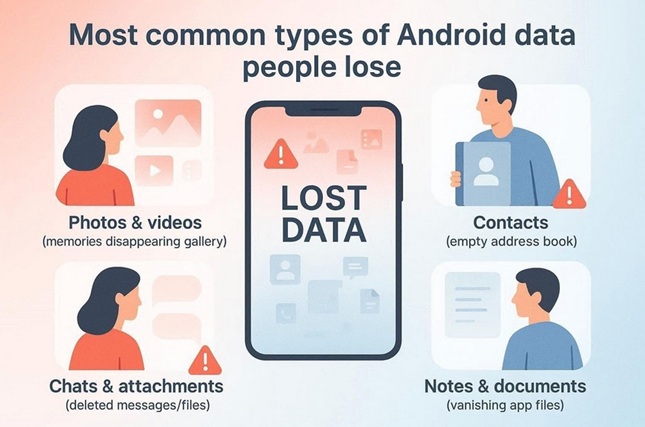
Android users often lose data, such as photos and videos, which hold significant emotional and professional value. Many communication records, including contact lists, are accidentally lost or deleted after failed app updates.
Most of the time, the app-specific content is also removed, including saved notes, documents, and chat attachments. Since most of the data is stored in internal memory, it becomes necessary to locate the right recovery software Android app.
Part 2) Why File-Type Support Matters in Recovery Software
Accidental data loss urges users to know how to undo a deleted WhatsApp contact. Rather than seeking manual methods, it’s important to find a tool that supports diverse file types, including WhatsApp. Therefore, this section highlights why considering the file type aspect is important for Android users:
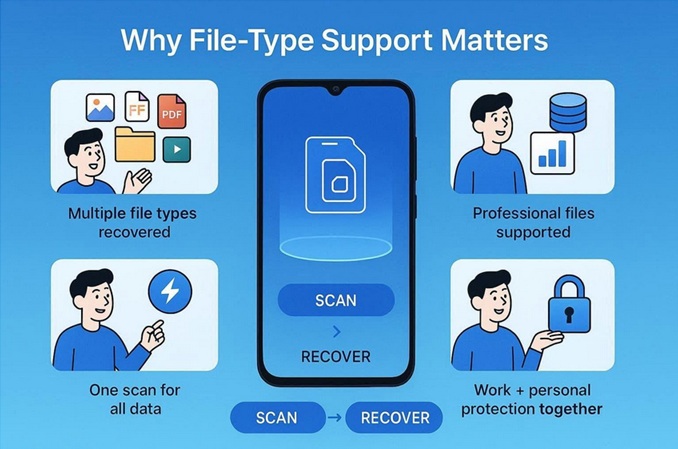
- Diverse Data Recovery: Mobile devices hold documents, PDFs, and spreadsheets beyond simple images. Hence, recovery tools must support these formats to ensure business and professional continuity.
- Professional Format Support: Companies rely on specialized files such as CAD drawings, databases, and other data types. Therefore, tools that fail to recognize these formats permanently lose critical operational data.
- Increased Recovery Success: Broad file signature support allows software to reconstruct hundreds of different data types. Thus, this technical capability directly improves the chances of a complete data restoration.
- Efficient Single Scanning: Supporting file categories in one pass saves time and reduces complexity. In addition, this prevents the need for multiple scans that could risk overwriting deleted data.
- Unified Device Protection: Users often mix work and personal files on a single mobile device. Hence, broad coverage ensures that one recovery session protects both memories and professional documents.
Part 3) How Recovery Software Handles Different Android Models and Brands
The Android ecosystem is diverse, with multiple brands such as Samsung, Google, Xiaomi, and OnePlus. Since each brand has its own custom version of OS and hardware configuration, data is stored and encrypted differently. Thus, recovery tools like Dr.Fone Android recovery software bridge this gap and support 6,000+ Android devices, including tablets.
Such tools can easily scan each version’s or brand’s storage structures and security layers to recover the lost data. Hence, this way users get a consistent way to retrieve deleted data, even without resetting their Android phone.
Part 4) What Recovery Results Depend On
In any recovery software Android app, the data recovery success depends on the 3 main factors. Overwrite is the main one: when a file is deleted, it remains in memory until new data takes its place. This makes the process time sensitive and affects the success rate. The longer a phone is used after a data loss, the higher the chance that the background system task will erase the hidden files.
In addition, the device’s physical health also determines the recovery rate. If the phone has been dropped or suffered water damage, the internal storage chips might be unstable or failing. Thus, any recovery software struggles to maintain a connection or read the damaged sectors. For best results, stop using the device immediately and start the recovery process as soon as possible.
Part 5) When a General Recovery Tool Is Better Than Manual Searching
Rather than searching for ways on how to undo a deleted WhatsApp contact, it’s important to consider the recovery tool. The following 5 reasons highlight how such software can be a better option than manual hassle:
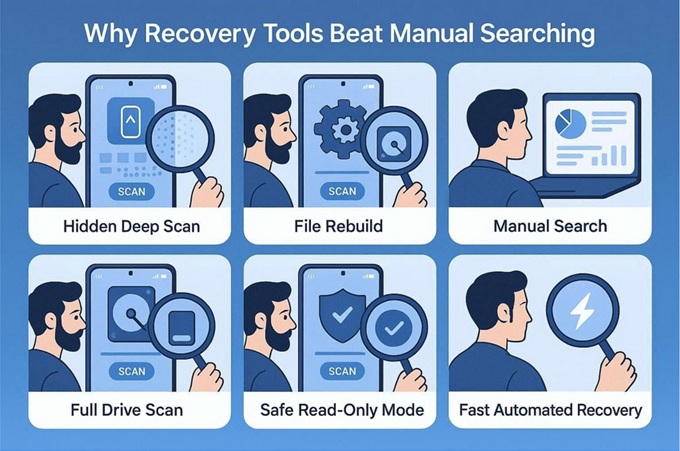
- Advanced Storage Access: Recovery software detects files that standard file managers cannot see. It scans raw disk sectors to find data that remains hidden from the operating system.
- Systematic File Reconstruction: Advanced algorithms analyze file signatures to rebuild lost data instead of using guesswork. Thus, this methodical approach identifies image and document headers to ensure accurate restoration.
- Full Drive Scanning: Tools examine every sector of the storage, including unallocated and corrupted spaces. So, this ensures the recovery of items that no longer belong to visible folders or paths.
- Data Safety Protocols: Specialized tools prevent users from accidentally overwriting deleted files during the search. These programs often use read-only modes to protect the remaining fragments of lost information.
- Efficient User Experience: The software automates complex, technical tasks and saves time for non- expert users. Hence, these tools provide a faster and more complete recovery than manual searching through hidden system folders.
Conclusion
While many assume deleted files are gone forever, they often remain hidden in storage sectors until overwritten. Thus, data recovery depends on acting quickly and using tools like Dr.Fone Android recovery software that support a wide range of file types and brands. This approach offers a safe, professional way to restore essential digital memories without requiring technical expertise.