





























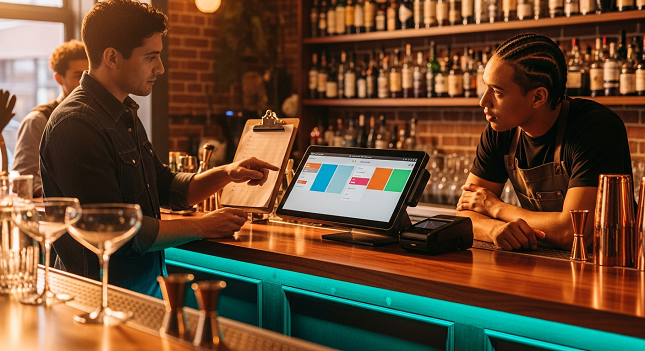
A packed Friday night is the ultimate stress test for any NYC bar. Here’s how to make sure your tech keeps up.
| Name | Pros | Cons | Pricing |
| SpotOn |
|
|
|
| Toast |
|
|
|
| Square |
|
|
|
| Clover |
|
|
|
| Oracle Simphony |
|
|
|
When the rail is three-deep, and tickets won’t stop printing, a slow point-of-sale system costs you real money. Frustrated bartenders, sluggish table turns, unhappy regulars heading for the door. You can’t afford to run a bar on clunky legacy software or a generic retail register pretending to be a hospitality tool.
The global POS terminal market is projected to reach $181.1 billion by 2030, and for good reason. Nearly 500 operators surveyed by the National Restaurant Association say they’re actively looking to upgrade or fully replace their current setups. This guide breaks down five platforms built specifically for bars and restaurants, focusing on transaction speed, hardware durability, offline reliability, and whether the pricing will actually work for your bottom line.
What to Look for in a Bar POS System
The hospitality industry is dealing with a structural labor shortage, and it isn’t just a local problem. In Europe, the sector faces a persistent 10% staffing gap. France alone is missing 120,000 to 150,000 workers, while the UK is short roughly 73,000 employees. That reality is pushing operators toward mobile-first technology faster than anyone expected.
A solid bar POS system serves as the central nervous system of your operation, automating workflows and turning raw data into actionable decisions. Across the wider service economy, AI-driven operations are unlocking massive relief against the margin squeeze, with intelligent inventory forecasting and dynamic pricing tools proven to boost individual venue revenues by up to 15% during high-volume shifts.
So what should you actually prioritize? Offline processing, for starters. Your bar can’t stop selling drinks because your ISP goes down. Look for rugged, spill-resistant hardware too; a consumer-grade tablet rarely survives a busy nightclub floor. And scrutinize those payment processing fees. Demand transparent interchange-plus pricing so you can forecast costs accurately as volume scales.
SpotOn
SpotOn is built for high-volume hospitality venues, and it shows. Tens of thousands of local businesses across the U.S. use the platform to manage front-of-house and back-of-house operations. Unlike generic retail registers, SpotOn offers a specialized bar-and-grill POS designed to speed up table turns and keep bartenders moving.
Staff can capture orders and close tabs right at the table using handheld devices, helping offset labor shortages affecting the industry. The platform also includes an enterprise-grade offline mode that kicks in automatically during internet outages; all payments sync once connectivity returns.
Consider this: top-performing venues that use advanced cross-platform POS systems generate $93 per labor hour, drastically outpacing competitors using legacy software. SpotOn’s automated tip management is another standout. It calculates, splits, and distributes tips based on your exact rules, so you can ditch the end-of-night spreadsheets entirely. Optimizing your speed of service starts with giving bartenders tools that eliminate manual math and screen tapping.
Here’s what stands out:
- Rapid Tab Management: Start tabs and pre-authorize cards with a single tap on an image-based menu.
- SpotOn Handhelds: Rugged mobile devices that let staff send orders to the bar or kitchen without leaving the guest.
- Automated Marketing: Built-in tools that run text and email campaigns to promote game days and specials.
- Best Use Cases: High-volume independent bars, regional pub chains, and nightclubs that need speed, offline reliability, and transparent processing.
Toast
Toast operates as a unified operating system for foodservice. Tens of thousands of restaurant locations run on it, managing everything from table service to payroll under one roof. The Android-based hardware is designed to survive spills, drops, and extreme kitchen temperatures, which matters more than you’d think in a high-volume bar.
By consolidating POS, payroll, and scheduling tools within its cloud ecosystem, Toast helps eliminate data silos and gives you a real-time view of labor costs relative to actual sales. While deep team management modules require premium monthly add-ons, the time savings significantly reduce admin errors. The platform handles complex modifier groups and seat-level check splitting with ease, which any busy bartender will appreciate.
- Unified Ecosystem: Natively integrates POS, payroll, scheduling, and back-of-house operations via optional software tiers.
- Best Use Cases: Mid-sized to large hospitality groups that want POS, payroll, and scheduling running seamlessly under a single software family.
Square
Square popularized accessible, low-friction payment processing, and it’s still a strong contender for bars. Millions of businesses globally use the platform, and the Square for Restaurants overlay adds floor plan management, ordering, and real-time menu updates to its intuitive iPad interface.
The biggest draw? No long-term contracts. You can get up and running in days, making it a favorite for pop-ups and temporary setups. Modern POS systems reduce daily errors that cost money by keeping online and offline channels synced. Plus, Square AI provides market analysis and local benchmarks to help you optimize pricing and staffing based on real-world trends.
Notable features include:
- Omnichannel Integration: Connects in-person dining, online ordering, and third-party delivery from one screen.
- Square AI: Analyzes data from millions of sellers to deliver industry benchmarks and actionable insights.
- Built-in Team Management: Basic scheduling and time-tracking tools are included without piling on extra fees.
- Best Use Cases: Pop-up bars, small neighborhood pubs, and new owner-operators who need a reliable system with minimal upfront cost.
Clover
Clover, backed by financial infrastructure giant Fiserv, takes an app-based approach to POS. The platform processes massive global volume across over 4 million deployed devices. You build a tailored software stack through the Clover App Market, adapting the system to fit your exact workflow.
Hardware options range from the compact Clover Go reader to the robust Station Duo countertop system. Market analysts rank Clover alongside Square as a top provider driving digital transformation, largely because of its extensive app marketplace. Think of it as a smartphone for your business: you download specialized tools for inventory, loyalty programs, and employee management directly to your terminal.
What makes Clover worth a look:
- Clover App Market: Access hundreds of third-party apps to expand standard POS capabilities.
- Versatile Hardware: Deploy everything from handheld Flex units to sturdy all-in-one stations.
- Rapid Pre-Authorization: Securely open bar tabs and verify funds fast to keep the rail moving.
- Best Use Cases: Bars and breweries that want reliable countertop hardware plus the ability to build a custom software stack through third-party apps.
Oracle Simphony
Oracle Simphony is the enterprise heavyweight. This cloud-based platform is the standard for global hotel chains, casinos, stadiums, and multinational restaurant groups. It handles extreme transaction density while maintaining resilient local processing during severe network disruptions, so there’s zero downtime during a major event.
Technology developers consistently recognize Simphony as a top solution for hotel chains needing advanced cloud integration and CRM systems. The platform gives operators centralized control to push menu, pricing, and promotion updates globally across hundreds of locations at once. And the Oracle Hospitality Integration Platform provides deep API access, enabling enterprise IT teams to connect custom CRM systems, mobile apps, and property management tools directly to the POS.
Key capabilities include:
- Centralized Enterprise Control: Push synchronized menu and pricing data to hundreds of venues simultaneously.
- Oracle Integration Platform: Deep API access tailored for custom, high-level integrations.
- Advanced Inventory: Track ingredient-level costs, run recipe engineering, and automate bulk purchasing.
- Best Use Cases: Large multi-unit bar groups, stadium concessionaires, and hotel bars requiring deep integration with property management systems.
A Checklist for Migrating Menu Data and Training Staff
Switching to a new POS mid-season is risky if you don’t plan it carefully. Here’s a structured checklist to keep your migration clean before the next big weekend.
Start by downloading your existing menu and inventory data to a CSV file. Cleanse discontinued items and update your margins. Major delivery platforms recently updated their integration standards to improve order accuracy, underscoring the importance of keeping your digital menu perfectly synced across all channels.
Next, recreate your exact bar and dining room layout in the new system’s back-office portal. Misrouted food and drinks during a rush is a nightmare you don’t need. Then assign precise access levels for bartenders, servers, and managers. Lock down comp and void privileges to authorized keyholders only.
Finally, have your staff run ghost checks during off-hours to build muscle memory. And here’s a pro tip: intentionally disconnect your router during a practice session to verify that offline mode actually works under pressure.
The Verdict
Your POS platform sets the ceiling on how efficiently you can operate and how profitably you can scale. Square is a great entry point for new ventures, but its flat-rate processing model starts to hurt once volume picks up. Toast offers an impressive unified ecosystem, though hardware contracts and multi-tiered software modules can strain an independent operator’s budget.
International hospitality associations recently prioritized POS technology to improve profitability across 6,000 venues, underscoring that efficiency is the universal goal. For operators who want transparent pricing, rugged hardware, and software built specifically for bars, SpotOn checks the most boxes. Its combination of high-speed tab management, automated tip distribution, and deep profitability analytics directly supports revenue growth.
Equip your staff with the right tools, protect your margins, and turn every packed shift into proof that your operation runs like clockwork.








very informative articles or reviews at this time.