






























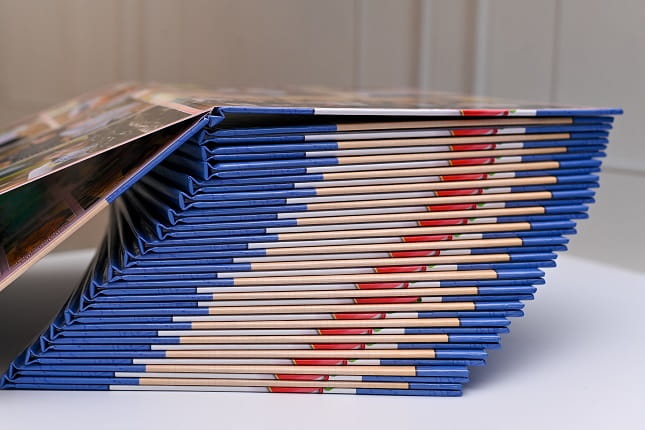
Booklet printing remains one of the most effective ways for businesses, organizations, and individuals to present detailed information in a structured and visually appealing format. Whether used for product catalogs, event programs, training manuals, or marketing materials, booklets help communicate complex ideas in an organized way. However, producing a high quality booklet requires careful planning. Small mistakes during the design or printing process can lead to wasted time, higher costs, and materials that fail to make the desired impact.
Many people assume booklet printing is simply about arranging pages and sending them to print. In reality, there are several technical and design considerations that play an important role in the final outcome. From page layout and margins to paper selection and proofreading, overlooking even one detail can affect the professionalism of the finished booklet.
Understanding the most common booklet printing mistakes can help ensure your project turns out exactly as intended. Below are the key errors people often make and how you can avoid them.
Ignoring Proper Page Layout
One of the most frequent mistakes in booklet printing is failing to design pages with the correct layout structure. Booklets are typically printed in spreads and folded, which means the page order is not always sequential when printed. Designers who do not account for this can end up with misplaced pages or awkward layouts.
When designing a booklet, it is important to understand how imposition works. Imposition refers to arranging pages in a way that ensures they appear in the correct order after folding and binding. If this step is ignored, images and text may appear on the wrong pages.
Using professional design software and checking with the printer about layout specifications can help prevent this problem. Many printing companies also provide templates that make layouting planning much easier.
Overlooking Margin and Bleed Requirements
Margins and bleed areas are essential in booklet printing, yet they are often misunderstood. Margins protect important content from being trimmed off during the cutting process. Bleed areas allow images and background colors to extend beyond the trim line so there are no white edges after cutting.
A common mistake is placing text or graphics too close to the edge of the page. When the booklet is trimmed, these elements may be partially cut off, creating an unprofessional appearance.
To avoid this issue, always follow the printer’s recommended margin and bleed guidelines. Typically, a bleed area of around 0.125 inches is required, and important text should stay safely within the margin boundaries.
Choosing the Wrong Paper Type
Paper choice plays a significant role in how a booklet feels and performs. Many people focus entirely on design and overlook paper selection. The wrong paper type can make a booklet look cheap or difficult to handle.
For example, extremely thin paper may allow ink from the opposite side to show through, reducing readability. On the other hand, overly thick paper can make folding and binding difficult.
Different booklet purposes require different paper weights and finishes. Marketing booklets often use glossy paper to enhance images and colors. Informational booklets may benefit from matte finishes that are easier to read and write on.
Consulting with your printer about the best paper options for your specific project can help ensure the final booklet meets both functional and visual expectations.
Forgetting About Binding Limitations
Binding style affects both the design and usability of a booklet. Saddle stitching, perfect binding, and spiral binding each have different requirements. Many designers forget to consider how binding will impact page layout.
For instance, saddle stitched booklets require the total page count to be a multiple of four. This happens because sheets are folded and stapled together. If the page count does not meet this requirement, blank pages may need to be added.
Additionally, content placed too close to the center fold can become difficult to read due to the binding area. This is especially important when working with thicker booklets.
Understanding binding limitations early in the design process ensures the booklet remains functional and visually balanced.
Using Low Resolution Images
Image quality is another area where mistakes frequently occur. Images that look sharp on a screen may appear blurry or pixelated when printed. This happens when low resolution images are used in the design.
Professional printing requires images with a resolution of at least 300 DPI. Anything lower may result in poor image quality. Unfortunately, many images found online are only optimized for digital display and not suitable for printing.
To maintain a professional appearance, always use high resolution images and graphics. If you are unsure about image quality, your printer can often review the files and recommend improvements before production begins.
Skipping Proofreading
One of the most costly mistakes in booklet printing is failing to proofread the content thoroughly. Once the booklet is printed, correcting errors can require a complete reprint, which increases both time and expense.
Common proofreading mistakes include spelling errors, incorrect contact information, outdated product details, and inconsistent formatting. These issues can damage credibility and distract readers from the intended message.
Before sending files to print, review the booklet carefully multiple times. It is also helpful to have someone else proofread the content, since fresh eyes are more likely to catch overlooked errors.
Printing a physical proof copy can also help identify layout or formatting issues that may not be obvious on a screen.
Ignoring Color Settings
Color discrepancies are another issue that often surprises people during booklet printing. Digital screens display colors using RGB settings, while printers use CMYK color models. If designs are not converted properly, the printed colors may appear dull or inaccurate.
For example, bright neon colors that look vibrant on a screen may print much darker than expected. This can significantly affect branding and visual appeal.
Design files should always be prepared using CMYK color settings to ensure accurate color reproduction. Professional printers can also provide color proofs so you can see how the final result will appear.
Waiting Until the Last Minute
Rushing a booklet printing project can lead to several avoidable mistakes. Tight deadlines leave little time for proofreading, layout adjustments, or color corrections. This often results in overlooked errors and compromised quality.
Planning ahead allows time for revisions and communication with the printer. It also provides the opportunity to review proof copies before final production begins.
Businesses that need materials quickly sometimes rely on specialized services such as Guru Printers Booklet Printing, which can provide fast turnaround while maintaining professional quality. Even with rapid services available, preparing files properly in advance still helps ensure the best results.
Neglecting Audience and Purpose
Another mistake people make is designing a booklet without clearly considering its intended audience. A booklet created for investors will look very different from one designed for event attendees or customers.
Font choices, image styles, color schemes, and content structure should all align with the audience and purpose of the booklet. Overly complex designs may confuse readers, while overly simple layouts may fail to capture attention.
Before starting the design process, define the goal of the booklet. Is it meant to inform, promote, educate, or persuade. Keeping that objective in mind helps guide every design decision.
Not Requesting a Print Sample
Even well designed files can produce unexpected results during printing. Paper texture, ink absorption, and color balance can vary depending on the materials used.
Requesting a print sample or proof copy is one of the best ways to evaluate how the booklet will look and feel before committing to a full print run. This allows adjustments to be made if necessary.
Skipping this step can lead to disappointment when the final printed batch does not match expectations.
Overcrowding Pages with Content
Booklets are meant to present information clearly and attractively. However, some designers try to fit too much information onto each page. This creates cluttered layouts that are difficult to read.
Effective booklet design uses white space strategically. White space improves readability and helps guide the reader’s attention toward key messages.
Instead of filling every inch of the page with text or images, focus on clarity and balance. Breaking content into sections with headings and short paragraphs improves the overall reading experience.
Conclusion
Booklet printing is a powerful communication tool when executed correctly. However, achieving a polished and professional result requires attention to detail throughout the design and production process. Mistakes such as incorrect page layouts, poor image quality, improper margins, and rushed timelines can significantly affect the final product.
By understanding these common pitfalls and planning carefully, businesses and individuals can create booklets that effectively communicate their message and leave a lasting impression. Taking the time to choose the right paper, proofread thoroughly, prepare files correctly, and work closely with a trusted printing provider will greatly improve the success of any booklet printing project.
When every detail is handled properly, a well designed booklet becomes more than just printed pages. It becomes a valuable tool for storytelling, marketing, and sharing information in a way that readers can easily engage with and remember.