






























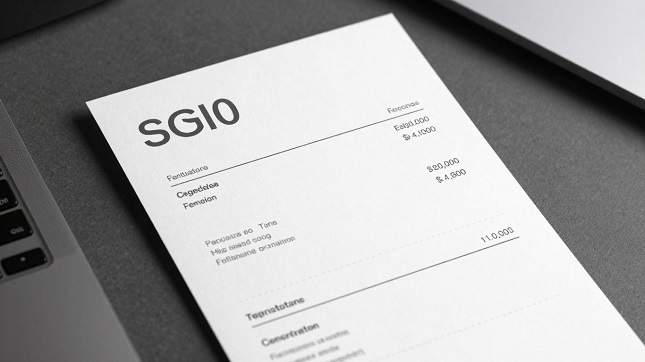
What Constitutes a Receipt Template?
A receipt template is basically a pre-made layout for receipts. Think of it as a blueprint. It has all the usual spots for information like the business name, the items sold, prices, and the total amount. Instead of starting from a completely blank page, you use this structure as your starting point. This makes the whole process of creating a receipt much faster and simpler.
Using a ready-made receipt template means you don’t have to figure out where everything should go. The layout is already set up to look professional. You just fill in your specific details. This is super helpful for businesses that need to issue receipts regularly but don’t have fancy software.
It’s a structured starting point for creating clear and organized payment records. This approach helps maintain a consistent look for all your receipts, which adds to your business’s professional image. A good receipt template saves time and reduces errors.
Benefits of Using a Pre-Designed Layout
Starting with a pre-designed layout offers several advantages. It saves a lot of time because you don’t have to design the receipt from scratch. Everything from the header to the footer is already arranged logically. This means you can focus on the actual transaction details rather than the design.
Another big plus is consistency. When everyone in a business uses the same receipt template, all the receipts look alike. This uniformity makes the business appear more organized and professional to customers. It also makes it easier for accounting and record-keeping.
- Saves time and effort.
- Ensures a professional appearance.
- Maintains brand consistency.
- Simplifies record-keeping.
Template vs. Maker vs. Generator
These terms often get mixed up, but they represent different ways to create receipts. A receipt template is a fixed layout you fill in. A receipt maker gives you more freedom to build a receipt piece by piece, offering more customization. A receipt generator is usually more automated; you might input basic details, and it creates the receipt for you.
Think of it this way: a template is like a coloring book page – the lines are there, you just add the color. A maker is like a blank canvas – you draw everything yourself. A generator is like asking someone to draw a picture for you based on a description.
Many tools today combine these features. You can start with a template, customize it extensively like a maker, or even use an automated option if available. The best choice depends on how much control you want and how quickly you need the receipt.
Essential Elements for a Professional Receipt
Including Business Identification
For any receipt to be taken seriously, it needs to clearly show who issued it. This means putting your business name front and center. Think of it like a business card, but for a transaction. You’ll also want to include your address and contact number. This isn’t just for show; it helps customers know how to reach you if they have questions about their purchase. A well-identified business builds trust.
A clear business identification is the first step to a professional receipt. It sets the stage for the rest of the information. Without it, a receipt can look like it came from anywhere, which isn’t great for your brand. Make sure your business name is easy to read, maybe even larger than other text on the receipt.
This identification part of the receipt template is where you put your business name, address, and phone number. It’s pretty straightforward. You just fill in the blanks. It’s important to get this right so people know who they’re dealing with.
Detailing Transaction Items and Costs
This is where the nitty-gritty of the sale gets laid out. You need a list of what was bought, how many of each item, and the price for each. This section should be super clear. A table works best here because it keeps everything organized. You want to list each item, its quantity, and its individual price.
Then, you’ll have a column for the total cost of that item (quantity times price). This makes it easy for the customer to see how each part of the bill adds up. It’s all about transparency. This detailed breakdown helps avoid confusion later on.
Here’s a quick look at how that table might be structured:
| Item Description | Quantity | Unit Price | Total | |
| Widget A | 2 | $10.00 | $20.00 | |
| Gadget B | 1 | $25.00 | $25.00 |
Specifying Payment and Total Amounts
After listing all the items, you need to show the final numbers. This includes the subtotal (the cost of all items before tax), any taxes applied, and any discounts. Finally, you’ll have the grand total – the actual amount the customer paid. This part needs to be very obvious. People want to see the final number clearly.
It’s also good to mention how the payment was made. Was it cash, credit card, or something else? This detail can be helpful for record-keeping. Making sure the total amount is correct and easy to find is key. This is the most important number on the receipt for the customer.
The final total should always be the most prominent figure on the receipt. It’s the number that matters most to the person receiving it.
Customizing Your Receipt Template
Making a receipt template look just right involves a few key steps. It’s about making it yours, so it fits your business and how you do things. This is where you take a basic layout and really make it work for you.
Personalizing with Your Brand Identity
Your business has a look, and your receipts should too. Adding your logo is a big part of this. It makes the receipt instantly recognizable and adds a professional touch. Think about colors too; using your brand’s colors can tie everything together. This personalization helps build trust with your customers. A branded receipt feels more official.
Adjusting Layout and Formatting
Sometimes, the standard layout just doesn’t cut it. You might need to move things around or change how text looks. Maybe you need more space for item descriptions or want to highlight the total amount. Playing with the layout and formatting makes the receipt easier to read and understand. Getting the layout right means customers can quickly see what they paid for.
Incorporating Additional Transaction Details
Receipts can hold more than just item names and prices. You might want to add notes about warranties, return policies, or special instructions. Some businesses add a thank-you message or social media links. These extra details can improve the customer experience. Think about what information would be helpful for your customers after they’ve made a purchase. A well-customized receipt template can include all of this.
Choosing the Right Tools to Make Receipt
Leveraging Online Template Editors
When you need to create a receipt, starting with a pre-made layout saves a lot of time. Online template editors are great for this. They offer a structure that you can fill in with your specific details. Think of it like having a blueprint ready to go. You don’t have to figure out where the business name should go or how to line up the item list. These tools provide that foundation, making the whole process much smoother. Businesses looking to make receipt workflows faster can use ReceiptsApps, which offers 100+ templates and online tools for customizing and downloading professional receipts in seconds.
These editors often come with a live preview. This means you see changes as you make them, right on your screen. It’s a big help for getting the look just right. You can adjust text, add your logo, and see how it all fits together instantly. This real-time feedback is key to making a receipt that looks polished and professional without a lot of guesswork. It’s a practical way to build a good recipe.
Many online tools let you download your finished receipt in different formats. This is important for how you’ll use the receipt later. Whether you need a file for printing, emailing, or just saving for your records, having options makes things easier. The goal is to get a clean, usable file that represents your business well.
Selecting Appropriate Fonts for Readability
Choosing the right font makes a big difference in how a receipt looks. Some fonts just feel more official or business-like. For example, fonts like OCR-A or Epson are often used in actual cash registers, giving a classic feel. If you’re going for a more invoice-style look, a simple font like Courier might work better. The font you pick sets the tone for the entire document.
It’s not just about looks, though. Readability is super important. A receipt needs to be easy to read quickly. If the text is too small or the font is hard to decipher, people might miss important details. Good font choice balances professionalism with clear communication. Think about how the text will appear on a small printed receipt and pick something that stands out clearly.
When you’re using an online tool, check if it offers a few different font options. Try them out to see which one looks best with your other design choices. A simple change in font can make your receipt look much more put-together and professional. It’s a small detail that has a large impact on the final appearance of your receipt.
Utilizing Live Previews for Accuracy
Live previews are a game-changer when you’re making receipts. They show you exactly what your receipt will look like as you’re editing it. No more guessing or making changes and then having to re-save to see the result. You see the impact of every edit immediately.
This feature helps catch mistakes before they become a problem. You can spot typos, misaligned text, or incorrect formatting right away. It makes the process of creating a receipt much more efficient and less prone to errors. You can adjust item descriptions, prices, and totals with confidence, knowing the preview reflects the final output accurately.
Using a tool with a live preview means you’re less likely to have surprises when you download the final receipt. It gives you control and confidence throughout the creation process. This accuracy is what helps turn a basic receipt into a professional document that reflects well on your business. It’s a key part of making a good receipt.
Generating and Exporting Your Receipt
Previewing Your Finalized Receipt
Before you finalize anything, take a good look at the receipt. The live preview is your best friend here. It shows you exactly how the receipt will appear once it’s generated. Check that all the details are correct – names, dates, item descriptions, and especially the final total. This step is key to making sure you create a receipt that’s accurate and professional.
It’s easy to miss small errors when you’re focused on filling out fields. A quick review of the preview can catch typos or misaligned text. This is your last chance to make any tweaks before you commit to the final output. Remember, a clean preview means a clean final product.
Downloading in High-Quality Formats
Once you’re happy with the preview, it’s time to download. Most tools let you choose from a few formats, usually PDF or image files like PNG. For most uses, like printing or emailing, a PDF is the way to go. It keeps the formatting sharp and consistent across different devices. If you need it for a website or a presentation, a PNG might be better.
Think about where the receipt will be used. If it’s for official records, a PDF is generally preferred for its stability. If you’re just showing it quickly, an image file works fine. The goal is to get a file that looks good and is easy to share.
Ensuring Watermark-Free Output
Nobody wants a receipt with a big “SAMPLE” or “GENERATED BY X” stamp on it. When you choose a tool to create a receipt, look for one that offers watermark-free downloads. This is especially important if the receipt is for official business or customer use. A watermark can make a receipt look less professional and even cast doubt on its legitimacy.
Many free tools might add watermarks to encourage upgrades. It’s worth checking the terms or looking for a generator that explicitly states it provides clean, watermark-free output. This ensures your receipt looks polished and legitimate, just as it should. This is a simple step that makes a big difference in the final presentation.
Best Practices for Receipt Creation
Matching Templates to Receipt Types
Picking the right template is key. A retail receipt needs space for item lists and quantities. A service receipt might just need a description and a total amount. Think about what information is most important for each transaction type. Using a template that fits the receipt type makes it look more organized.
Always consider the purpose of the receipt before selecting a template. A good receipt creator will offer options for different scenarios. This helps avoid clutter and ensures all necessary details are present and easy to find. It’s about making the information clear for whoever needs to read it.
Using Realistic Placeholder Data
When you’re creating mockups or examples, use data that makes sense. Generic placeholders like “Item 1” or “$0.00” don’t look very convincing. Instead, use plausible store names, reasonable prices, and common item descriptions. This makes your receipt examples look much more professional and believable.
This practice is especially helpful when demonstrating a receipt creator tool. Realistic data shows how the tool handles real-world information. It gives a better sense of the final output. A well-made receipt with good placeholder data can impress clients or stakeholders.
Maintaining Consistency Across Receipts
Consistency is important for brand recognition and professionalism. Use the same fonts, colors, and layout structure across all your receipts. This creates a unified look, even if the transaction details differ. A consistent approach builds trust and makes your business appear more organized.
A standardized system for receipt creation prevents formatting issues and rework. It ensures that every receipt, regardless of who creates it, looks like it came from the same place.
Using a reliable receipt creator tool helps maintain this consistency. It automates many of the formatting aspects, reducing the chance of errors. This means your business always presents a polished image, no matter the transaction.
Wrapping Up Your Receipt Design
So, making a receipt that looks good doesn’t have to be a huge headache. By using templates, you get a solid starting point. You can tweak the details like store info, items, and taxes, and even change up the look with different fonts or colors. Plus, seeing your changes happen right away makes the whole process way smoother. Whether you’re a small business owner, a freelancer, or just need to make a professional-looking record, having a clean receipt template makes a big difference. It saves time, looks professional, and keeps things organized. Give it a try and see how much easier your receipt creation can be.